 Raccoon Wiki
Interface Overview
The Web IDE is built around a tool-stripe + panel layout. Panels are toggled on demand from icon strips on the left and right edges — there is no fixed three-column split. Only the panels you need are open at any time, giving the center editor maximum space.
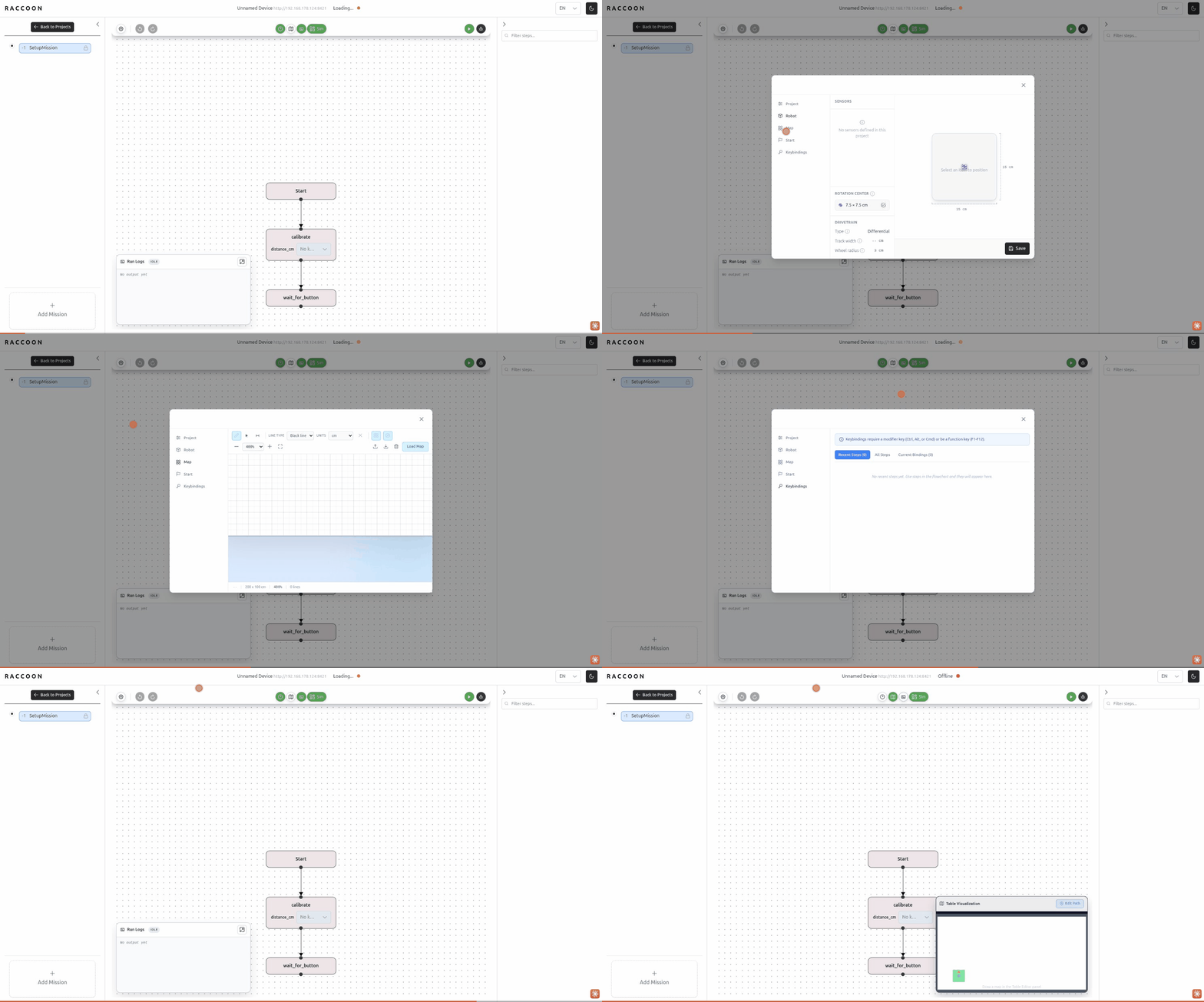
Layout structure
┌──────────────────────────────────────────────────────────┐
│                     Global Navbar                        │
├───┬──────────────────────────────────┬──────────────┬───┤
│   │  Left tool panel (collapsible)   │              │   │
│ L │  e.g. Missions list              │ Center panel │ R │
│   │                                  │ Flow / Code  │   │
│ S ├──────────────────────────────────┤              │ S │
│ T │  [panel resizer]                 │              │ T │
│ R ├──────────────────────────────────┴──────────────┤ R │
│ I │  Bottom panel (Logs / Table / Arm)              │ I │
│ P │                                                 │ P │
│   │  [bottom panel resizer]                         │   │
└───┴─────────────────────────────────────────────────┴───┘
           Status bar
| Area | Contents |
|---|---|
| Left tool stripe | Mission list toggle (top); Logs / Table / Arm panel toggles (bottom) |
| Left panel | Missions list — collapsible, resizable |
| Center | Tab bar switching between Flow (flowchart editor) and Code (Python editor) |
| Right tool stripe | Steps / Docs / Robot panel toggles |
| Right panel | Steps library, Step Docs, or Robot Config — collapsible, resizable |
| Bottom panel | Logs, Table Visualization, or Arm Visualizer — collapsible, resizable |
| Global Navbar | Settings, Timestamps, Undo/Redo (flowchart tools); run-target dropdown; Run / Debug / Stop buttons; battery indicator |
graph TD
    Navbar["Global Navbar\n(always visible)"]

    subgraph MainArea["Main area (below navbar)"]
        LS["Left tool stripe\n· Missions (top)\n· Logs / Table / Arm (bottom)"]
        LP["Left panel\nMissions list\n(collapsible)"]
        Center["Center panel\nFlow tab · Code tab"]
        RS["Right tool stripe\n· Steps / Docs / Robot (top)"]
        RP["Right panel\nSteps · Docs · Robot\n(collapsible)"]
        BP["Bottom panel\nLogs · Table · Arm\n(collapsible)"]
    end

    LS -- "toggle" --> LP
    LS -- "toggle" --> BP
    RS -- "toggle" --> RP
    LP --> Center
    Center --> BP
Panel layout: stripes on both edges toggle the adjacent panels; only one bottom and one right panel is open at a time.
All panel widths and the active panel selection are persisted in localStorage, so the layout survives page reloads.
Top bar (Global Navbar)
The navbar is always visible. When a device is connected and reporting hardware status, it shows:
- Battery voltage (
X.X V) if the device reports voltage, or battery percent (X%) otherwise — displayed with a bolt icon and a tooltip showing the hostname. - A polling indicator: device status is refreshed every 5 seconds.
There is no raw IP address in the top bar. The IP is configured on the project’s home page (before entering the project view), not shown in the editor.
Center panel: Flow vs Code
The center area has two tabs:
| Tab | Icon | Description |
|---|---|---|
| Flow | share-alt | Visual flowchart editor for the selected mission |
| Code | code | Full Python code editor (CodeMirror 6) for the mission’s generated source |
Click either tab to switch views. Both views refer to the same mission — changes in one are reflected in the other after save/codegen.
Panel persistence
The IDE stores the following in localStorage so your workspace is restored after reload:
| Key | What it stores |
|---|---|
webide-active-tool-panel | Which left panel is open (missions or none) |
webide-left-panel-width | Width of the left panel in px |
webide-active-right-panel | Which right panel is open (steps, docs, robot, or none) |
webide-right-panel-width | Width of the right panel in px |
webide-active-bottom-panel | Which bottom panel is open (logs, table, arm, or none) |
webide-bottom-panel-height | Height of the bottom panel in px |
If your panel layout becomes corrupted (panels missing or wrong sizes), open the browser DevTools console and run localStorage.clear(), then reload.
Next steps
- Mission Panel — managing missions in the left panel
- Flowchart Editor — editing missions in the center panel
- Step Library — finding and adding steps from the right panel
- Running a Mission — using the Run/Debug controls in the navbar